




Newest Courses

Application Dictionary
Application Dictionary Course
Overview
This course introduces the core components of the Onfinity ERP framework, enabling participants to configure tables, workflows, dashboards, and UI elements like Screen Composer, Mosaic Library, different types of Dashboard and widgets equipping them to efficiently build and customize business applications.
Course Objectives
- Understand Onfinity’s application framework and metadata structure
- Configure tables, columns, and create application windows
- Design UI using Screen Composer and Onfinity Canvas
- Customize layouts with header panels, card views
- Implement checklists for task tracking and user guidance
- Manage preferences, alerts, workflows
- Build dashboards using charts, KPIs, and widgets
- Personalize landing pages and dashboard views
- Define translations, and audit logs
- Organize functionality through module management
- Deploy configured modules and features into production environment
Course Content
- Understand the core application framework and structure
- Configure references, table tabs, and column settings
- Navigate and design screen and field tab layouts, tree tab views
- Build interface layouts using header panel component
- Create dynamic cards using the card view layout
- Build responsive screens using Screen Composer functionality
- Implement guided processes using checklist components
- Manage user preferences apply themes
- Design dashboards and landing page based on user requirements
- Manage changes through audits changes
- Manage Version through maintain Version
- Handle multi-language translations
- Manage Modules using Module Management
Mosaic
Mosaic Course
Overview
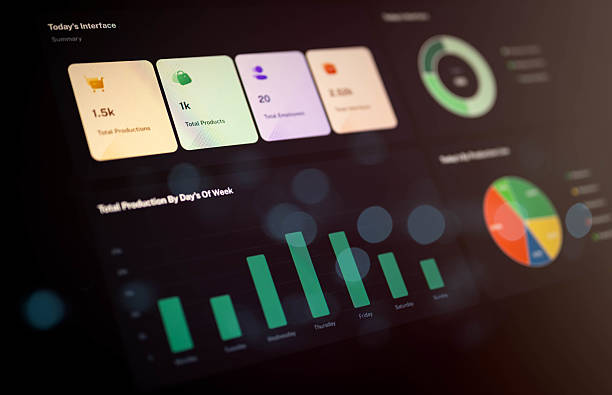
The Mosaic feature integrates multiple interactive widgets within a single interface. These widgets enable users to access specific information, view live data, use shortcuts, and perform simple tasks, making the interface more dynamic,engaging, and user-friendly. Furthermore, the widgets are configurable, allowing users to customize their layout and behavior including moving, resizing, and editing content — or even create new widgets as per their requirements, ensuring a truly personalized and flexible experience.
Course Objectives
- To understand the functionality of the Dynamic widget in Onfinity system.
- Widgets should provide users with convenient and easy to access features or information that improve overall usability on a application or device
- Widgets often aim to deliver real – time updates.
- Widgets can be designed to allow users to interact with content directly, such as submitting forms, clicking buttons, or customizing settings.
- Widgets goal is to streamline specific tasks, making them quicker and more efficient, such as providing quick access to data or functions.
Course Content
- Mosaic Library
- Widget Types
- Dynamic Widget
- Widget on Homepage
- Dynamic Widget on landing page
- Show Advanced search on Dynamic widget